-
-

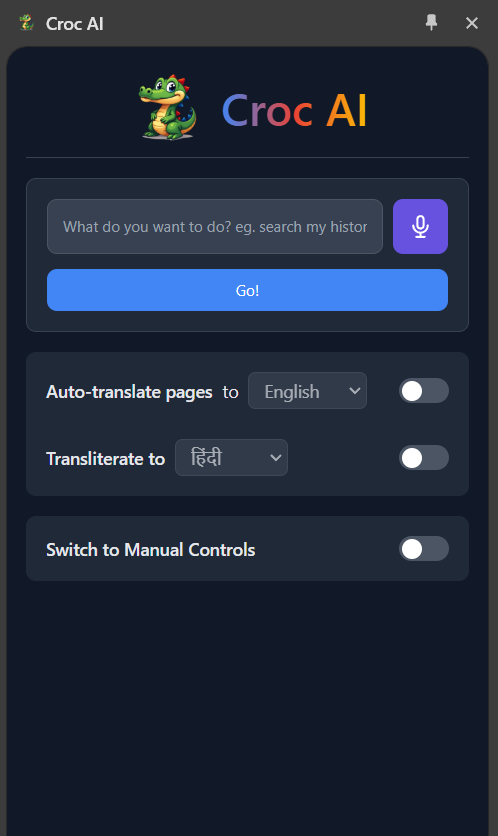
logo/mascot
-
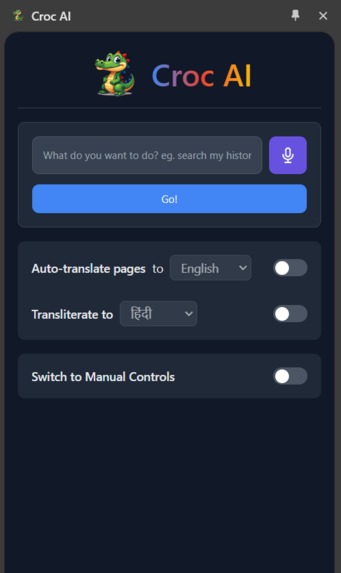
Croc's UI
-
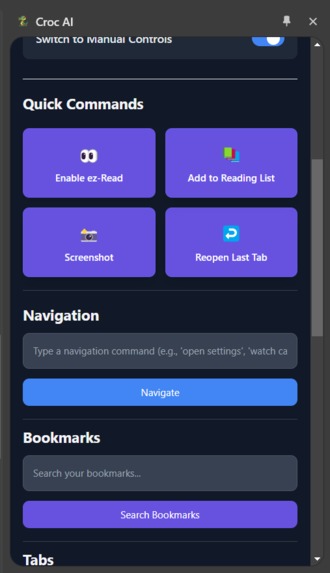
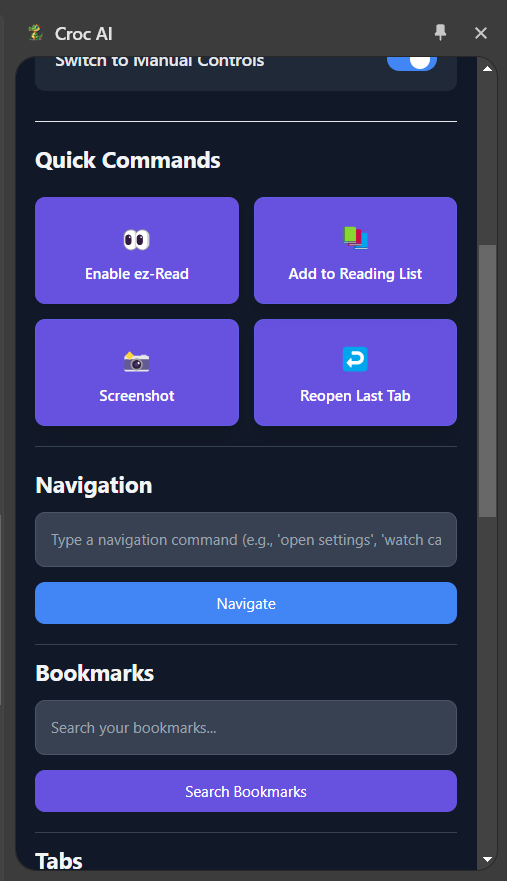
Manual Mode
-

text to speech
-
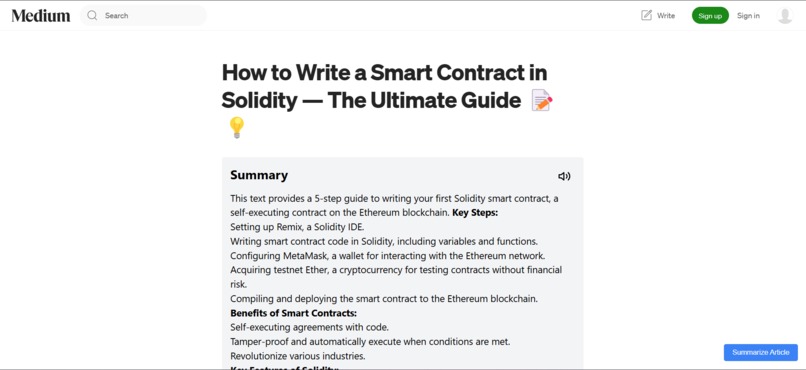
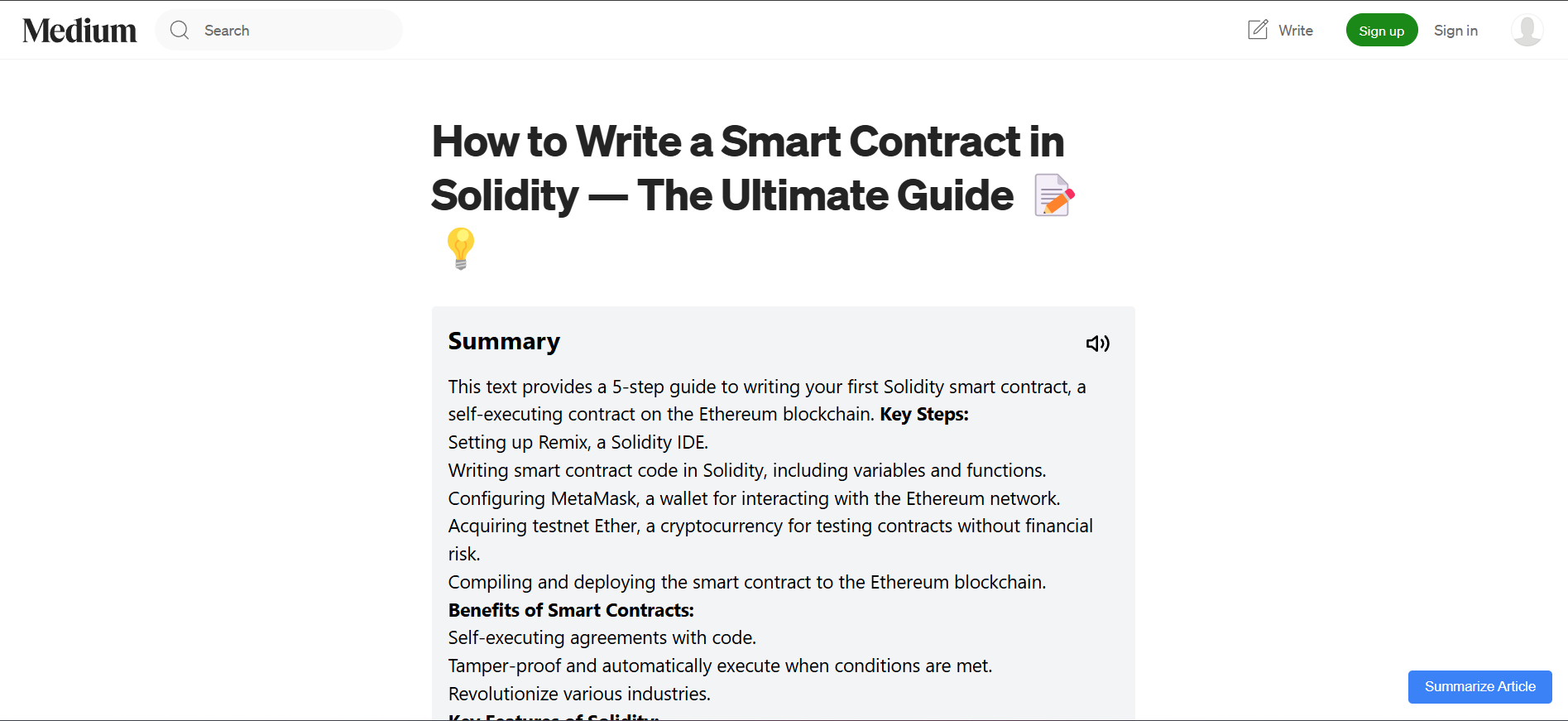
injected summaries
-
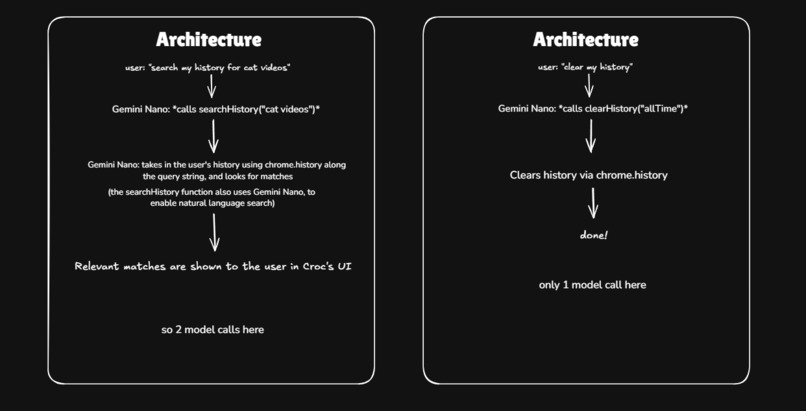
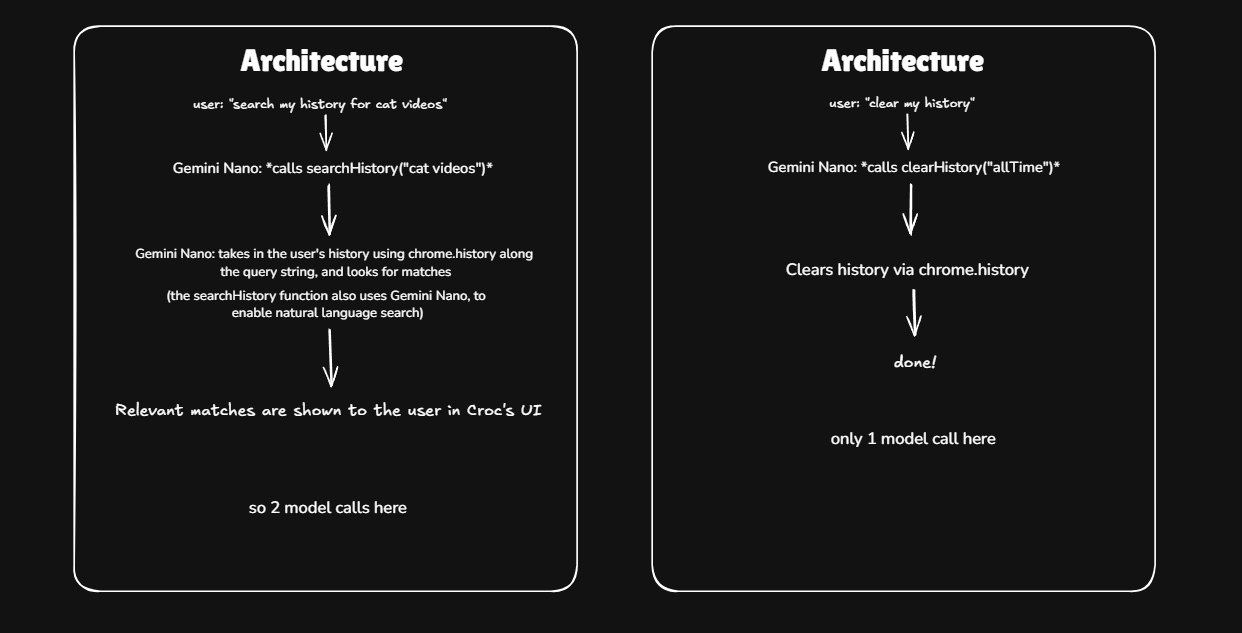
architecture of the main command box


Inspiration
Browsers are powerful applications that serve as our gateway to the digital world. However, many of their advanced features remain hidden behind technical barriers, making them inaccessible to everyday users. With the announcement of Gemini Nano in-browser, we saw an opportunity to bridge this gap and unlock the full potential of browsers for users of all ages: from 12-year-old students to 65-year-old OGs.
What it does
Croc AI is a sidebar-by-default extension that uses in-browser Gemini Nano to transform Chrome into an intelligent companion with an input bar where you can either use text or your voice to enter what you want to do in natural language. Things you can ask for are:
Smart search: You can search your bookmarks, history and tabs using natural language. Eg. search my history for cat videos, search my tabs for Devpost etc.
Navigation: You can ask Croc to take you to URLs, including the browser's internal URLs. Eg. "take me to Amazon" will open Amazon, "open my settings" will go to chrome://settings, "i want to watch cat videos" will open up Youtube with the results (using the search_query parameter).
Add to Reading List: You can use Croc to add pages to Chrome's Reading List. Eg "add this page to my reading list" will add the page you're on to the Reading List.
History Deletion: Clear either the last 24 hours' history or your all-time history. Eg. "delete my history" will wipe the browser history.
Tab Recovery: Reopen the tab(s) you closed. Functionally equivalent to pressing Ctrl+Shift+T. Eg. "bring back my last tab".
Screenshot: Capture and save a screenshot of your current tab. The screenshot is automatically saved and copied to clipboard. Eg. "take a screenshot".
EZ Read Mode: Enable EZ read mode which highlights the first few letters of each word. This feature was introduced as X (formerly Twitter) users reported that this method increased their reading speed. Eg. "turn on easy read mode".
High Contrast: Toggle high contrast mode for better visibility. Eg. "enable high contrast mode".
Font Size: Adjust the browser's font size easily. Eg. "increase font size", "decrease font size", or "reset font size".
Reminders: Set time-based reminders that show up as browser notifications. Eg. "remind me to do my laundry in 5 minutes".
Other Features
Summarization: Croc AI will inject a button on sites like Medium that will allow you to summarize the article on that page. This summary will be generated right below the heading of the article. You can also summarize an arbitrary piece of text by selecting it, right clicking it and then selecting Croc AI->Summarize text. This summary will be generated Croc's UI.
Croc Writer: When in an input box or content-editable div, right click and select Croc Writer. This will bring up a popup which will let you ask Croc to generate text. It can do both- write new text with options like tone and length, and rewrite existing text. It auto-fills the text that is already present in the input box/div where it was brought up.
Explanation: Select an arbitrary piece of text and ask Croc to explain it. The explanation will be generated in Croc's UI
Translation: Croc supports auto-translation. Just flip the toggle in the sidebar and select your language. After that, when you browse the web, Croc will detect if there are any portions of text that are in a language which is different from the one you had selected and will translate it. You can also translate arbitrary pieces of text (when auto-translation is off) by selecting them, right clicking and choosing Croc AI->Translate Selection.
Text to speech: Select any text on a webpage, right click and choose Croc AI->Read text aloud. This will bring up audio controls at the bottom of the page that let you pause/play the text being read, adjust reading speed, and close the reader. Generated summaries and explanations have a speaker icon which, on clicking, brings up the audio controls and reads the generated text out loud.
Transliteration: Right click on any text in an input box (including WhatsApp web's editor) and select Croc AI->Transliterate selection. This will convert the text to the script of your chosen language while keeping the pronunciation the same. For example, "namaste" can be transliterated to "नमस्ते" in Hindi (Devanagari) script.
How we built it
We built Croc AI as a Chrome extension using TypeScript and React. It is a sidebar extension. It uses Chrome's Extensions API to integrate deeply with the browser, including features like tab management, bookmarks access, history access and context menus.
We use in-browser Gemini Nano for all tasks. 1 or 2 model calls may be required per every command given from the main command box. The first call, that is directly accessed made by the main command box, gives the user's query along with the list of available functions with their description and required parameters to the model. Depending on the function required, another call may be made. For example, if the user wants to search their history, the first call returns the history search function, which, on execution, calls the model with the search query and the list of items in the user's history. The result of this is shown in the UI.
The extension uses content scripts to inject UI elements and handle page modifications like translations and summarizations.
Challenges we ran into
Working with content scripts across various websites proved particularly challenging, as each site has its own unique DOM structure and security policies. WhatsApp Web's rich text editor required special handling for features like transliteration. Managing state across different contexts - background scripts, content scripts, and popup - was complex and required careful architecture. The EZ read feature was especially tricky, as we needed to modify text without breaking page layouts or interfering with existing functionality.
Accomplishments that we're proud of
Our biggest achievement is creating a truly intuitive interface that makes browser features accessible through natural language. We're particularly proud of successfully implementing complex features like auto-translation and bionic reading that work seamlessly across different types of websites. The writing assistant works smoothly with various text input methods, and we achieved impressive performance despite running AI models in the browser. Throughout the project, we maintained a clean, modular codebase despite the inherent complexity of browser extension architecture.
What we learned
Building Croc AI gave us deep insights into Chrome's Extensions API and its capabilities. We mastered techniques for effective content script injection and management, and learned the intricacies of handling browser events and state management across different contexts. Working with in-browser AI models taught us valuable lessons about optimization and performance. Most importantly, we learned how to build truly accessible interfaces that work for users of all technical levels.
What's next for Croc AI
In the future, we plan to expand Croc AI's language support for both translation and transliteration features, as they roll out. As browsers evolve, we'll integrate with more browser features and APIs, and we're particularly excited about supporting custom user-defined commands and macros.
Built With
- gemini-nano
- javascript
- llm
- react
- typescript
- vite


Log in or sign up for Devpost to join the conversation.